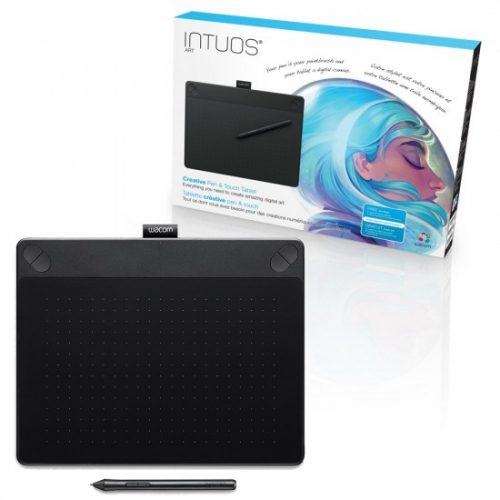

Wacom Intuos Art Medium CTH-690 Pen and Touch Digital Graphics Drawing Tablet
Key Features;
- Battery-free, pressure sensitive pen
- Multi-touch
- Four customizable Express Keys
- Active Area: 216 x 135 mm
- Can be setup for both left and right handed use
- Kindly Note: Prices and Stock Status are Subject to Change without Prior Notice
- Bank Financing attracts an additional percentage
- NB: Warranty registration is the customer's responsibility
- Disclaimer. We can not guarantee that the product specs information on this page is 100% correct.
Overview
Sketch, paint, design, and edit with a pressure-sensitive pen on the Wacom Intuos Art Pen & Touch Medium Tablet. Create with a natural line in paint, pastels, ink, charcoal, and more. Paint, design, and create directly on your computer using this tablet. Each Wacom pen tablet comes with a free creative package that includes creative software, online tutorials and services that are all downloadable. Buy the Wacom Intuos Art Medium CTH-690 Pen and Touch Digital Graphics Drawing Tablet Best price online from CELLULAR KENYA,Nairobi
Related products
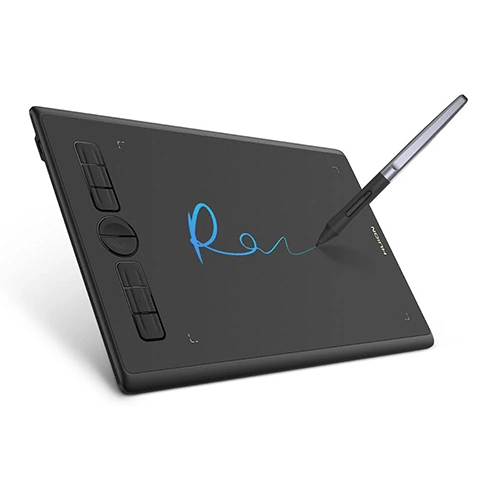
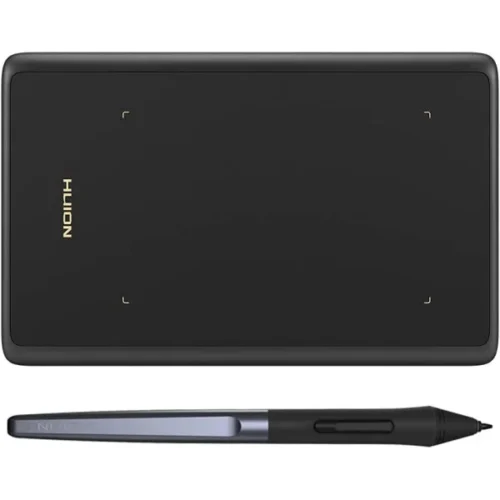
Huion H420X Graphic Drawing Tablet (4.17×2.6 inch)
key features:
- 7mm slim body creates a great partner for drawing on the go.
- 300PPS report rate enables responsive input.
- 8192 levels of pressure sensitivity ensure authentic lines reproduction.
- Full cover panel design is stylish and easy-to-carry.
- Narrowed palm rest to release hand fatigue.
- Multi-angle rotation is supported.
- Phone connectivity supports your drawing anywhere and anytime.
- Compatibility with Windows, macOS, Android, and Chrome OS.


ReMarkable 2
Key Features
Designed to help you focus
Distraction-free by design. No notifications, pop-up ads, or social media. Just you and your thoughts, so you can find the focus to do your best work.
All your notes, organized
Keep all your handwritten notes, to-do lists, PDFs, ebooks, and sketches organized and in one place — easily accessible on multiple devices and platforms.
Mobile and desktop note-taking
Create, edit, and organize notes from your smartphone or laptop with the reMarkable apps. Build the workflow that works for you. Enjoy seamless note-taking across devices with unlimited cloud storage and sync with a Connect subscription.*
Get access to mobile and desktop note-taking with a Connect subscription.*
Handwriting conversion
Make your handwritten notes easy to reuse by converting them into typed text. You can then refine or expand your converted notes with the Type Folio keyboard cover (sold separately), upload them to cloud storage services, or send by email to share them instantly.
Google Drive, Dropbox, and OneDrive integration
Access popular cloud storage services right from your paper tablet to improve your workflow. Browse stored files, copy them to your reMarkable, and upload documents directly to your chosen service.
Take notes directly on PDFs
Read and review reports and presentations on an eye-friendly display, and write your thoughts directly onto the page. Signing PDFs and annotating documents has never been easier.
Send content to your reMarkable
Save any web page, Microsoft Word document, or PowerPoint presentation to your paper tablet for when you have time to focus and read in-depth. All it takes is a click with our Read on reMarkable extension.
Share your screen live
Stream your notes and ideas directly onto a bigger screen. Turn your reMarkable into the perfect digital whiteboard to write, draw, and demonstrate tricky concepts live in meetings.
An eye-friendly reading experience
With no backlight or glare, reMarkable lets you comfortably read PDFs and ebooks for hours on end. Get a paper-like reading experience without the need to print a page.
Two weeks of battery life
With up to two weeks of battery life and 90 days of standby time, reMarkable is always ready to come out of your bag and get to work.
- 8GB ROM
- 1GB RAM
- 10.3inches
- 1.2 GHz dual core ARM
- BatteryRechargable (Li-ion) batteryUSB-C charging
- 3000 mAh
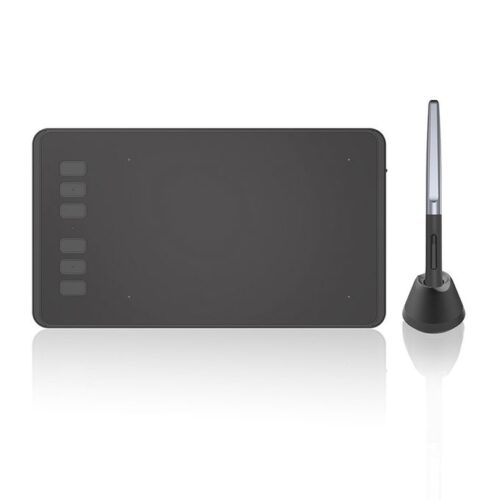
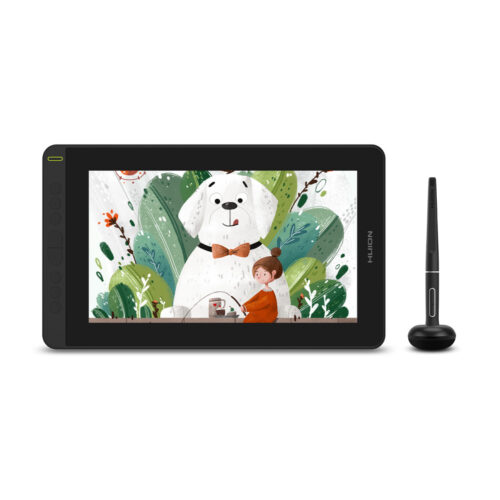
HUION KAMVAS 12 (2021) Pen Display Graphics Drawing Tablet
Key features:
- Fitted with an anti-glare film
- 1920x1080 full HD screen
- 120% sRGB wide color gamut and 16.7 millions display color
- 178° Viewing Angle
- PenTech 3.0, the battery-free pen PW517
- Pen with ±60° Tilt Support and 8192 Levels Pressure Sensitivity
- Has both Pen Display and Pen Tablet Modes
- Supports both right and left-hand mode
- Includes 8 programmable press keys
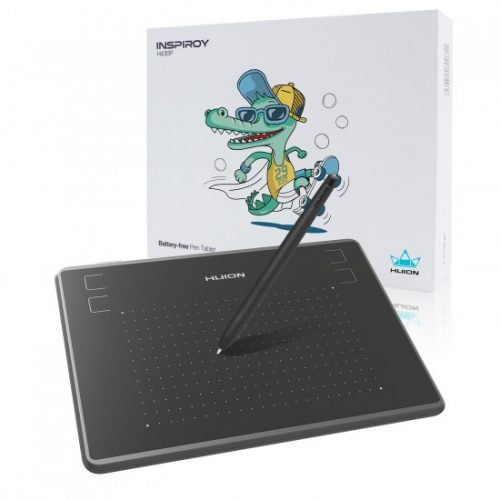
Huion Inspiroy H430p Graphics Pen Tablet compatible with Mac, PC or Android
Key Features;
- 4 Programmable Press Keys
- Battery-Free Pen with Electromagnetic Resonance
- Pressure Levels: 4096 Levels
- Pen Resolution: 5080 LPI
- Working Area (Android Mode): 4.76 x 7.62 cm
- Working Area (PC Mode): 12.19 x 7.62 cm (4.8 x 3 inch)
- Reading Height: 10mm
- OS SupportWindows 7 or later, MacOS 10.11 or later and Android 6.0 or later
Reviews
There are no reviews yet.